Maps Engine
One of the core service of LocusQ which enable three different kinds of maps
Map Engine
Interactive web and mobile-friendly Maps
Map Engine enables three basic kinds of crystal clear, retina-ready vector maps for different purposes of use. It can easily be integrated with Web or Mobile development. It is also customizable. Use the Map Design tools for customizing the map theme as per your need. It is also 3D supported.
For more documentation and endpoints go to Documentation

Discover all the APIs and Endpoints
Map Engine Endpoints
1. Vector Map API- {domain:port}/styles/locusq/style.json
- Vector Map API Test
2. WMTS Map API- {domain:port}/styles/locusq/wmts.xml
- WMTS Map API Test
TEST ALL MAP API...
Test the MapEngine Endpoints live
Stand-alone Map Engine
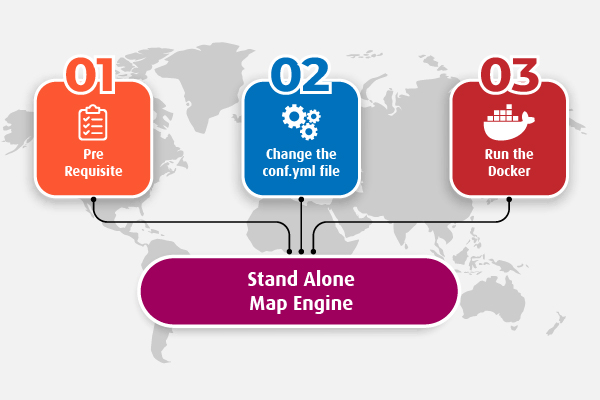
LocusQ Master stack covers all the segments of web GIS such as maps, routing, direction, transit, geocoding and many more APIs. Besides this, Map Engine can be installed as a stand alone service if anyone do not need few other services or only 2-3 services. Hee is the steps
-
Pre-requisite
Map Engine can not be run alone as it needs map data processing. this is why
locusq-postgisis needed in the backend. go to Locusq PostGIS page for to see how to install it. -
Change the
conf.ymlfileNow change the configuration file according to your needs. Country-wise configuration code can be found here
-
Run the standalone Map Docker
Pull or run directly the Map Engine docker using -
docker run -it --name map-engine --network locusq -v $(pwd):/data -p 4702:8080 locusq/map-engine:latest
Visit the Map API endpoints.